
We secure our daily workflows with cryptographic passkeys, facial recognition, and biometric hardware. Yet, paradoxically, when organizing affairs for sudden incapacity or death, millions of families still entrust their most critical infrastructure—bank logins, healthcare portals, and investment estates—to a spiral notebook hidden in a desk drawer. This reliance on physical, static paper is a generational security disaster waiting to happen.
The dangers of a password notebook extend far beyond the obvious risks of home burglary or a house fire. A physical piece of paper cannot receive a time-based verification code. It cannot bypass an unrecognized-device lockdown triggered by a bank’s security algorithm. Most critically, possessing an inherited notebook does not grant a family member the legal authorization required by modern digital inheritance legislation. When absolute urgency demands immediate, lawful account access, that trusted notebook will leave an aging parent's estate operationally paralyzed.
The Case of Helen's Blue Ledger
To understand why paper password risks are so severe, we must look at the operational reality of an emergency. Consider Helen, a highly organized 68-year-old managing a complex family trust, two rental properties, and the ongoing medical portals for her disabled husband. For nearly a decade, Helen acted as the household's administrative anchor. Her continuity plan was a meticulously maintained blue ledger kept in the top drawer of her home office, containing over one hundred accounts, PINs, and security answers.
When Helen suffered a sudden and severe cardiovascular event, she was incapacitated for weeks. Her son, Marcus, assumed emergency control of the household. Eager to pay the incoming property taxes and manage his father’s acute medical billing, Marcus retrieved his mother's notebook. He believed he had the key to the family's solvency.
He opened the ledger, found the login for the primary checking account, and typed the credentials into his own laptop. Instantly, the bank flagged the login attempt as originating from a new, unrecognized IP address. To proceed, the bank's security architecture automatically dispatched an SMS verification code to Helen's mobile phone.
"A password is no longer a complete security key; it is merely the first step in a multi-layered identity verification sequence that a static piece of paper cannot satisfy."
Helen’s phone, however, was in a locker at the hospital ICU, locked behind FaceID, completely inaccessible to Marcus. The notebook had provided the password, but failed to provide the contextual authentication required by the bank. Marcus was effectively locked out of his own family's assets precisely when they were needed most, sparking weeks of bureaucratic delays.

The 4 Fatal Flaws of a Shared Family Notebook
Relying on physical ledgers exposes digital real estate to severe, uncommon risks that standard estate planning routinely overlooks. Attempting secure account sharing for seniors via a static medium breaks down under four distinct pressure points.
1. The Multi-Factor Authentication (MFA) Wall
As perfectly illustrated by Helen’s crisis, digital platforms operate on Zero Trust architectures. They no longer assume that knowing a password equates to being the account owner. Standard access now requires "something you know" (the password) plus "something you have" (a mobile device, an authenticator app, or a hardware security key). A notebook cannot generate Time-Based One-Time Passwords (TOTP) or accept push notifications. Without a system to securely transfer control of the underlying MFA tokens alongside the password, the physical ledger is useless.
2. Version Control Decay and Data Rot
Digital security demands forced password rotations, especially after corporate data breaches. When a senior is prompted to change an email password on their tablet, they frequently fail to walk to the home office to manually cross out and rewrite the update in their ledger. This results in "data rot." Over years, the notebook becomes a graveyard of outdated information, scribbles, and half-remembered security questions that trigger permanent account lockouts after three failed attempts by a well-meaning heir.
3. Undocumented Opportunistic Vulnerability
Unlike an encrypted digital vault which tracks failed login attempts and generates access logs, a notebook has no audit trail. When housekeepers, contractors, in-home care nurses, or distant relatives enter the home, the physical ledger is entirely vulnerable. A quick smartphone photograph of an open page takes less than two seconds, irreversibly jeopardizing an entire lifetime of wealth and privacy without alerting the owner.
4. The Legal Misalignment of Access
Perhaps the most misunderstood danger is legal. Logging into a deceased or incapacitated person’s digital account using their credentials explicitly violates the platform’s Terms of Service (ToS). Depending on local state laws, accessing financial or private communications without formal fiduciary status can constitute a violation of anti-hacking statutes like the Computer Fraud and Abuse Act (CFAA), exposing beneficiaries to unintended liability.
Navigating RUFADAA and the Law of Digital Inheritance
Because technical access through a notebook does not equal lawful authorization, families are repeatedly ambushed by the legal realities of probate. The primary legal framework governing this issue in the United States is the Revised Uniform Fiduciary Access to Digital Assets Act (RUFADAA). Enacted to bring clarity to an incredibly murky intersection of digital privacy and estate law, RUFADAA dictates precisely how digital assets are legally handled.
Under RUFADAA, a tech provider like Google, Apple, or a major bank is generally restricted from releasing the contents of electronic communications or granting access to digital platforms solely because a family member possesses a password notebook. They require explicit legal consent.
According to legal research published by institutions monitoring the legal consensus on digital inheritance, fiduciaries who aggressively bypass these federal restrictions using handwritten passwords can plunge the estate into legal purgatory. If a bank discovers an unauthorized login originating from an heir, they will routinely freeze the entire account citing potential fraud, requiring emergency court orders to unlock funds meant for funeral expenses or ongoing medical care.
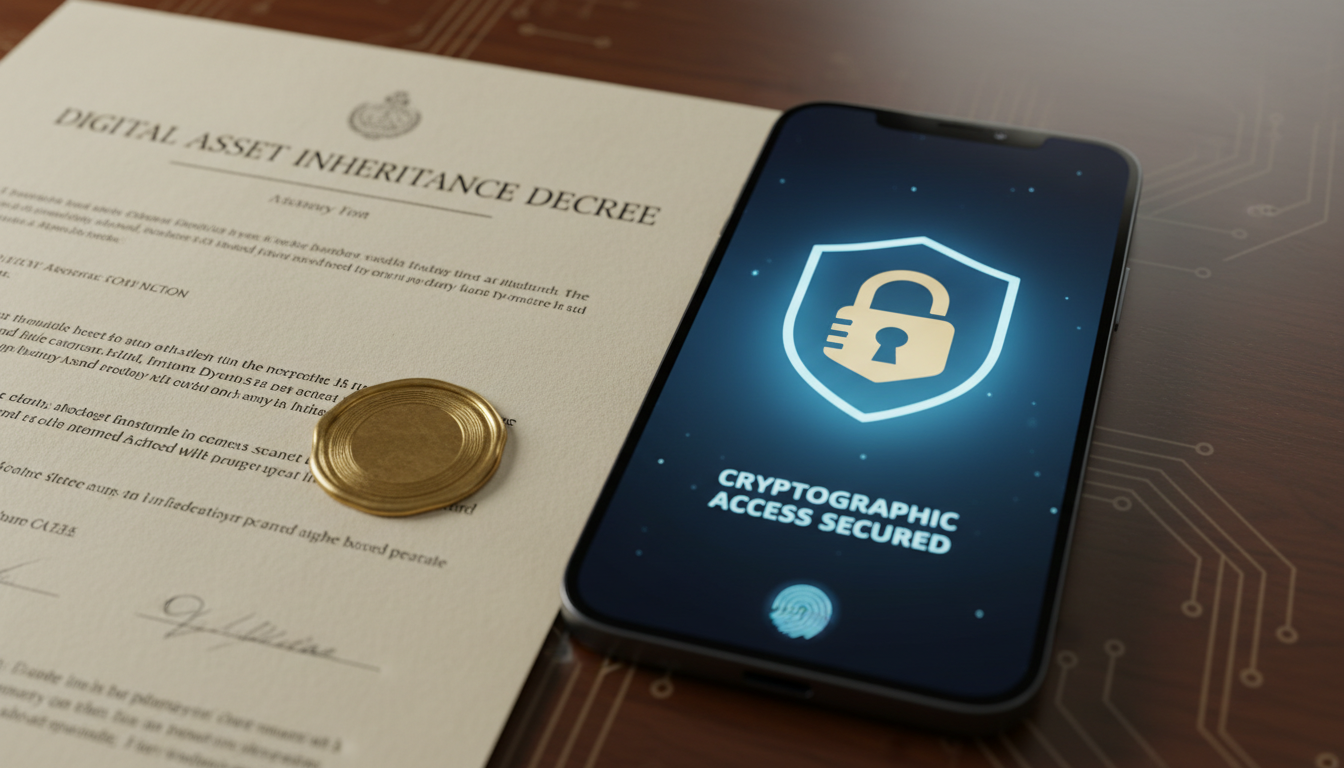
Comparing Digital Estate Sharing Approaches
If paper ledgers are dangerous and legally problematic, families must transition to better systems. However, not all digital solutions provide adequate estate continuity. Evaluating a family password manager against a dedicated inheritance platform reveals significant architectural differences.
| Feature | Physical Notebook | Standard Cloud Manager | Digital Legacy Software |
|---|---|---|---|
| Data Protection | None. Vulnerable to theft, fire, and loss. | Strong encryption, but prone to a single point of failure (Master Password). | Zero-knowledge cascade encryption; heavily decentralized. |
| Automated Transfer | Relies entirely on manual discovery by heirs. | Manual sharing only. Useless if the primary owner dies unexpectedly. | Autonomous triggers (Dead-Man's Switch) decrypt data for verified heirs. |
| Legal Compliance | None. Bypasses RUFADAA entirely, violating ToS. | Vague. Usually requires logging in as the deceased individual. | Builds in legitimate fiduciary directives that align with legal transfer laws. |
| Handling 2FA | Cannot manage dynamic tokens or physical keys. | Can store TOTP codes, but the primary vault must be accessed first. | Transfers comprehensive recovery instructions, structural 2FA seeds, and exact institutional procedures. |
Why Modern Families Need Cryptographic Continuity
A profound misconception among those planning their estates is assuming that general digital tools resolve end-of-life complexities. Understanding who legitimately can access your online life in an emergency is crucial. Shifting Mom’s passwords to a cloud application, writing the "master password" on a sticky note, and attaching it to the bottom of the router is simply replacing a physical notebook with a slightly more convoluted physical vulnerability.
This is exactly why your standard password manager isn't enough. If the owner suffers dementia and forgets the single primary decryption phrase, the entire family’s historic and financial connectivity is instantly vaporized. The Cybersecurity and Infrastructure Security Agency (CISA) guidelines on secure credential management emphasize the need for robust recovery mechanisms, recognizing that single points of human failure orchestrate the most catastrophic data losses.
To build true preventative resilience, families must embrace mechanisms that conditionalize access. Let us evaluate how Helen’s scenario would have resolved utilizing Cipherwill's digital legacy platform.
Rather than relying on a vulnerable notebook, Helen had established a zero-knowledge encrypted capsule containing her critical access directives, authentication recovery codes, and specific institutional guides for handling her health portals. She configured a cascading time-based trigger. When she was incapacitated and her regular structural digital check-ins ceased, the platform identified the inactivity.
Following a pre-defined grace period, the architecture autonomously decrypted the specific health and financial shards, sending Marcus an encrypted, time-capsule link. This transition wasn't an unauthorized hack into his mother’s account. While Cipherwill securely and legally transferred the data—including passwords, 2FA seeds, and legal directives—to the fiduciary, Marcus did not simply log in as his mother. Instead, he used the securely transferred information and followed the provided institutional guides to formally assume control of the accounts, ensuring full compliance with institutional Terms of Service.
Common Mistakes When Abandoning the Passwords Notebook
Retiring a physical password ledger is highly recommended, but the transition period carries significant friction. Avoid these recurring missteps when aiding parents or partners in the migration:
- Destroying the physical copy too early: Never shred the notebook until every single credential has been audited, successfully logged into, and transferred safely into the encrypted vault environment.
- Equating technical migration with legal mandate: Digitizing passwords does not update the physical will. Families frequently fail to draft specific clauses appointing a digital executor.
- Forgetting 2FA backup codes: When transitioning passwords, people often neglect to secure the backup authentication keys generated by platforms like Google, Microsoft, and Coinbase.
- Oversight of hardware reliance: Families migrate the passwords but neglect to establish exactly how an heir will bypass a physical YubiKey or SMS-locked mobile device.
Decision Framework for Secure Digital Estate Transition
If your family's continuity relies on a physical notebook or loose sticky notes, resolving the liability today prevents an operational breakdown tomorrow. Implement this pragmatic migration strategy to securely update your family infrastructure.
- Phase I: The Vulnerability Audit. Sit down with the current physical notebook. Distinguish between low-risk accounts (newsletters, streaming services) and high-consequence infrastructure (banks, email, taxation, crypto).
- Phase II: The Authentication Triage. Determine the secondary layer of security for the high-consequence accounts. Do they rely on SMS codes sent to a specific phone number? Are they linked to an authenticator application?
- Phase III: Zero-Knowledge Centralization. Migrate all credentials into a reputable digital environment. Ensure that you utilize strong, unique credentials for every account rather than relying on human memory.
- Phase IV: The Cryptographic Will Alignment. Integrate the technical repository with your legal directives. Appoint a trustworthy digital legacy beneficiary using a continuous inheritance architecture that can conditionally distribute access without exposing credentials prematurely.
Migration Checklist for Senior Security
- Identify primary device dependencies (e.g., "Account requires Dad's iPad to authenticate").
- Generate and secure printable 2FA backup codes for flagship email accounts (Gmail, Outlook).
- Update legacy contacts at Apple, Google, and Facebook within the native platform tools.
- Consolidate medical portal access alongside formalized Medical Power of Attorney documents.
- Automate the execution of specific recovery protocols using a trusted continuity platform.
Frequently Asked Questions
Question: Are paper password risks really higher than cloud storage?
Answer: Yes. While cloud storage can face remote attacks, an encrypted vault is mathematically impenetrable. A physical list is highly susceptible to localized theft, fire, flooding, misplacement, and quiet data rot. Furthermore, paper cannot integrate with multi-factor authentication, rendering the underlying passwords effectively useless in an emergency.
Question: What happens if I ignore RUFADAA and just use the passwords notebook?
Answer: Logging into a deceased person’s account without explicit legal authorization violates platform Terms of Service. If an institution detects irregular access or a beneficiary notifies them prematurely, they will lock the entire account for potential fraud, forcing you into expensive, time-consuming probate legal battles to unfreeze the assets.
Question: Is a family password manager safe for sharing critical accounts?
Answer: It is significantly safer than paper, but it fundamentally requires active maintenance and relies on everyone remembering a master password. It does not possess inheritance logic. If the primary owner is suddenly incapacitated, traditional password managers lack the autonomous transfer mechanisms required to distribute access to designated heirs.
Question: Can a password notebook handle two-factor authentication?
Answer: No. This is its most catastrophic limitation. A static notebook provides a password, but if the login triggers a push notification or an SMS code to the owner's locked smartphone, the family remains entirely locked out, regardless of possessing the correct initial text password.
Question: How does Cipherwill solve the digital estate sharing problem?
Answer: Cipherwill combines zero-knowledge encryption with sophisticated conditional triggers. Instead of relying on hunting for a physical ledger, you configure a system that monitors verifiable inactivity. When triggered, it automatically decrypts and securely transfers specific digital assets and authentication protocols exclusively to legally nominated beneficiaries.
Question: How do I convince aging parents to abandon their physical notebook?
Answer: Approach the conversation through the lens of continuity rather than technology. Explain that modern bank security naturally blocks unrecognized access, and their notebook will physically prevent you from managing their healthcare or paying their bills if they suffer a stroke or unexpected hospitalization.
Question: Should we burn or shred our old passwords notebook after digitizing?
Answer: Do not destroy the paper ledger until the entire migration is completely verified. Audit every credential, successfully log into the accounts, update outdated passwords, enable 2FA backups, and synchronize with your digital legacy platform. Only when the digital vault is entirely self-sufficient should the physical document be shredded.
By Cipherwill Editorial Team, Reviewed by Cipherwill Review Board, Trust & Security Review Team
Editorial contributor: Iraan Qureshi
Review contributor: Tavish Bhonsle